
App to Control Christmas Lights: Top Picks for Smart Homes
Shop an app to control christmas lights with smart plugs, color choices, schedules, and voice control for easy holiday decorating at home this season.
For animated holiday displays, Twinkly is a strong all-around choice, while a compatible smart plug suits simple on/off control. An app to control Christmas lights can add color and effects, but the light set and app must work together.
For a tree, windows, or a whole room of decor, the right setup depends on how much the display needs to change. Mapped lights are lights whose LEDs are located by a smartphone camera so effects can be placed across the physical display. A smart plug offers a simpler way to switch compatible lights on and off.
The best choice depends on whether the holiday display needs custom effects, schedules, or only dependable switching. Before choosing a setup, decide whether the display needs changing colors or just reliable switching.
Key Takeaways
- Twinkly suits animated displays with custom effects.
- A smart plug usually handles basic on/off control.
- Check light and app compatibility before buying.
- Confirm whether each set is for indoor or outdoor use.
- Match the controller to the kind of display planned.
Is an App-Controlled Light Setup Right for the Home?
A native lighting app is the better fit when the display needs effects or color changes, while a smart plug is usually enough for basic power control. App-enabled lights can adjust colors and effects when the light set and its app are compatible.
A smart plug usually switches power to an ordinary string of lights. It does not make ordinary bulbs change color one by one. Choose a lighting app for effects, and a smart plug for simple switching. The distinction matters when a display needs different looks throughout an evening.
A smart plug can switch power, but it cannot add color effects to ordinary bulbs.
The Twinkly app is free to download on iOS and Android, including on phones and tablets. A compatible light set still needs its own supported connection and app. That means a free download alone does not guarantee control of every string in the home.
A short check before buying can prevent a mismatch between the lights and the phone:
- Confirm whether the light set requires a specific app.
- Check whether the app supports the phone or tablet.
- Decide whether color effects or schedules matter.
- Consider whether basic on/off control is enough.
Effects make a dedicated app worthwhile for changing colors, scenes, or brightness. Timers can help when lights need to turn on at set times, though a smart plug may also provide a schedule. Check the light’s packaging for the required app before buying a separate controller.
App to Control Christmas Lights: Top Picks by Use Case
For most shoppers seeking animated holiday displays, Twinkly is the clearest fit; Govee C9 suits an outdoor string-light setup, and Twinkly’s pre-lit tree suits an indoor centerpiece. Each format serves a different display, from flexible lights to a ready-made tree.
Twinkly lights come in fairy, cluster, festoon, curtain, and line strip formats. Govee C9 string lights offer an outdoor-ready option with a long run and many lighting modes. The Twinkly pre-lit Christmas tree combines app-controlled LEDs with a built-in holiday centerpiece.
Check placement and compatibility alongside the useful product details. Govee C9 lights are IP67 rated and Matter compatible. Twinkly’s pre-lit tree is for indoor use only, so it is not a fit for an outdoor display.
| Option | Best fit | Useful product details | Placement or compatibility check |
|---|---|---|---|
| Twinkly lights | Customizable display | Fairy, cluster, festoon, curtain, and line strip formats | Check format and included controller |
| Govee C9 string lights | Outdoor string-light setup | 49 ft; 50 RGBWIC LEDs; IP67; 80+ modes; Matter compatibility | Confirm the planned location and system compatibility |
| Twinkly pre-lit Christmas tree | Ready-made indoor tree | App-controlled LEDs; over 16 million colors | Indoor use only |
Price depends on the chosen format and configuration, so a fairy light set and a pre-lit tree are not direct price comparisons. A sale price can also change, while the included controller affects what the set can do.
Compare the current price and included controller before purchase. A lower price may reflect a different format or a package with fewer included parts, so compare the actual set rather than its name alone.
Searchers looking for Twinkly Christmas lights can choose among several formats, while LED twinkle Christmas lights may describe many products with different apps. Match the light format to the display before comparing current prices.
How the Twinkly App Maps and Groups LEDs
A phone camera maps where each Twinkly LED sits, so effects can follow the layout rather than treating the string as one bulb. Mapped lights give the Twinkly app a view of the physical display.
The app uses a smartphone camera to locate each LED and create a virtual layout. That layout lets effects appear across the real arrangement, whether the lights form a tree, a curtain, or another display. The mapped layout connects each on-screen effect to a physical LED.
Camera mapping and effect creation
The user frames the installed lights with a phone camera and follows the app’s mapping process. The camera identifies LED positions, then builds a virtual version of the display. Preset effects can play across that layout, or users can create effects for a more personal look.
Mapping works best when the camera can view the full arrangement. A display that changes shape or position may need a fresh map. The on-screen view then gives users a practical way to see how effects will travel across the lights.
Grouping lights into one display
Multiple Twinkly lights can be grouped, mapped, and synchronized from one place. A group lets separate light sets act as one display, rather than requiring each set to run an unrelated effect.
Grouping is useful when a tree, window, and nearby garland should share a look. Users can also run synchronized effects across the grouped lights. The group’s physical arrangement still matters, because the effect follows the mapped positions.
A completed layout makes it easier to judge how each effect fits the display. Map the completed physical arrangement before fine-tuning effects on screen.
Other LED Apps for Strips and Car Lights
Magic Lantern is designed for RGBIC strips, while Magic CarLight is an Android option for RGB(W) strips. Both apps offer more strip-level control than an ordinary plug that only switches power.
Magic Lantern controls RGBIC LED strips and offers dimming, color adjustment, dynamic modes, and scenes. Its controls also include music rhythms, on/off timers, pixel settings, and line-sequence settings. Those options suit users who want to adjust parts of a strip or change its light pattern.
Match the app to the exact strip and controller. Magic CarLight is a free Android app for RGB(W) LED strips. It includes brightness and color controls, music and microphone rhythm functions, and built-in transition patterns.
Magic Lantern’s pixel and line-sequence controls give users more ways to shape strip effects. A compatible smart-plug app offers a different kind of control: it can switch the strip’s power and set schedules, but does not create strip-level color or pixel effects.
| Control type | Compatible lights | Available controls | Best-fit use |
|---|---|---|---|
| Magic Lantern | RGBIC LED strips | Dimming, color, scenes, rhythms, timers, pixels, line sequences | Custom strip effects |
| Magic CarLight | RGB(W) LED strips | Brightness, color, rhythms, transition patterns | Android control of compatible strips |
| Compatible smart-plug app | Lights plugged into a compatible smart plug | Power switching and schedules | Basic on/off control, not color or pixel effects |
The controller is the link between the app and the strip, so a similar-looking connector does not prove compatibility. Check the controller model and the strip’s control system together. Verify that the controller and strip use the same control system before installation.
Color, Scheduling, and Voice-Control Features to Compare
RGBW adds a separate white channel, while RGB makes colors by combining red, green, and blue. The extra channel gives RGBW a way to create white tones without mixing the three color channels.
RGB LEDs can combine red, green, and blue to create up to 17 million colors. RGBW adds a dedicated white LED channel, with white tones that range from warm to crisp. Choose RGBW when adjustable white tones matter as much as color effects.
Color selection is only one part of the comparison. Check whether the app can dim the light, select preset effects, or create a custom look. A wide color range matters less if the available controls do not suit the display.
Timers and schedules can turn lights on or off at chosen times. Music response can change effects as audio plays, while voice control offers hands-free commands on compatible systems. These features vary by light set and app, so the product listing should name the controls it supports.
When comparing a sale price with a regular price, check the current price and the included accessories. A discount alone does not show whether the package includes the controller or other parts needed for the planned setup.
The regular price and sale price may describe different packages or promotions, so compare the same light format and included equipment. A voice assistant feature also depends on support from both the app and the light set.
Choose RGBW when adjustable white tones matter as much as color effects.
Music-Reactive Lights and Synchronized Shows
Audio-reactive lights follow sound as it plays, while a preprogrammed display follows a sequence made for a particular song. The best fit depends on whether the playlist changes or the show follows a plan.
Audio-reactive lighting changes as music plays, making it suitable for parties or playlists that move from song to song. The response follows the audio rather than a fixed sequence tied to one track. Choose audio response for changing playlists and a preprogrammed display for a planned show.
Audio-reactive effects for changing playlists
Twinkly Music can make the Twinkly pre-lit tree respond to songs in real time. Audio-reactive effects shift with the sound as it plays, so they can suit a playlist that changes throughout an evening.
Multiple Twinkly lights can be grouped and synchronized from one place. They can act as one display or play synchronized effects across different light sets. A tree can also connect with other Twinkly lights for a coordinated look.
Preprogrammed displays for specific songs
A preprogrammed display follows lighting sequences created for specific songs. That makes it a better fit for a planned Christmas light show where the timing and effects should match a chosen track.
The two approaches create different results. Live audio response follows the current sound, while a song-specific sequence keeps the same planned timing. A fixed playlist or performance can benefit from a sequence made for that music.
Test audio response at the display’s normal listening volume before arranging the full show.
Outdoor Christmas Light Planning and Roofline Safety
Start a roofline plan by checking the outdoor rating of both the lights and their connectors. Outdoor-rated gear is needed for smart outdoor Christmas lights exposed to weather.
An IP44 rating provides splash protection, while IP67 offers greater protection in areas with heavy rain or snow melt. Outdoor roofline connectors should be rated IP67 or higher. A light set’s rating does not automatically apply to its connectors or extension cords.
Choose weather-rated lights and connectors
Use outdoor-rated cords and weather-sealed connectors for an exterior run. Keep connections sealed, elevated, or otherwise protected from water. A connector resting in a puddle can expose the display to a problem even when the lights have an outdoor rating.
Measure the house perimeter before buying or hanging lights. Perimeter bulbs are generally spaced 12-15 inches apart. Roofline clips are typically placed every 12 inches, while a wind-exposed roofline may need clips every 2 feet.
| Roofline element | Spacing | Condition |
|---|---|---|
| Perimeter bulbs | 12-15 inches | General recommendation |
| Clips | Every 12 inches | Typical roofline |
| Clips | Every 2 feet | Wind-exposed roofline |
Measure spacing and work safely on a ladder
Place an extension ladder’s base 1 foot from the wall for every 4 feet of ladder height. That setup creates an angle of roughly 75 degrees. When a ladder is used to step onto a roof, it should extend at least 3 feet above the roofline edge or gutter.
A roof pitch steeper than 6:12 is a reason to consider a personal fall-arrest system. Professional installation is recommended for rooflines above a full two stories or roof pitches steeper than 8:12.
Measure the run and plan the ladder’s position before lifting lights onto the roofline. Keep the work within a safe reach instead of leaning sideways from a ladder. If ladder placement or roof pitch feels unsafe, leave roofline work to a professional.
Connect, Schedule, and Troubleshoot Phone-Controlled Lights
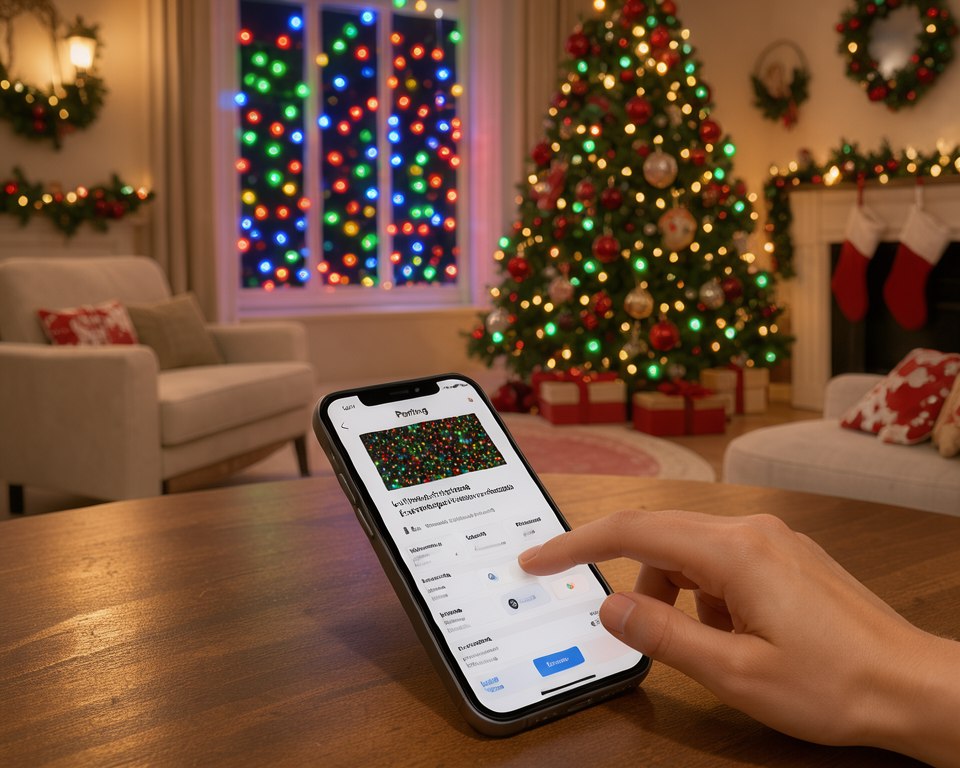
A phone controls LED lights only when the light set and its companion app are designed to work together. Start with the exact product, then follow its pairing steps.
The Twinkly app connects over Wi-Fi. Twinkly lights can also work with Amazon Alexa and Google Assistant for voice control, including switching them on or off and adjusting overall brightness or dominant color.
Test one basic control before building schedules or voice commands. A phone, app, and light set need a supported connection for setup to work.
Pair the lights with the correct app
Pairing usually follows a short sequence:
- Install the app made for the exact light set.
- Power the lights and keep the phone nearby.
- Follow the app’s pairing instructions.
- Connect through the network supported by the product.
- Test one control before setting schedules or voice commands.
Resolve common setup problems
If pairing fails, check that the lights have power and the phone is compatible. Confirm that the phone and lights use the correct supported network. App permissions can also affect setup, so review the access the app requests.
Use the official app store or the product website to find the app, and review its requested permissions before installing. Check for app or firmware updates if the product still will not connect. The customer support details and warranty terms should match the exact light set.
Compare the regular price with the included controller and accessories when checking a product listing. The controller can affect which app works, while warranty terms can differ between light sets. Record the controller name and pairing method before storing seasonal lights.
Hide Excess Christmas Lights Without Creating Hazards
Tuck slack behind the display or secure it along the same route, but keep the plug and connections accessible. Neat slack can disappear behind a tree or trim without blocking a walkway.
Suitable clips can gather an extra length of string lights without damaging the wire. Keep plugs and connections dry and away from foot traffic. A single light line should have no more than 250 feet or 250 bulbs from one plug.
Keep plugs and connections accessible, dry, and away from walkways when concealing extra lights.
Before tucking away extra Christmas lights, check the route and the string’s instructions:
- Keep slack out of traffic paths.
- Do not cut a light string unless its instructions permit it.
- Avoid hiding energized connections in wet or enclosed spots.
- Secure the wire without tightly crushing it.
- Keep the line within the 250-foot or 250-bulb limit from one plug.
A gathered loop should stay loose enough to avoid pinching the wire. Keep the plug reachable so the set can be disconnected without pulling at the lights. Unused powered strands should not be tucked beside a heater or across a doorway.
Keep unused powered strands away from heat and walkways.
Conclusion
The right app is the one that matches both the desired display and the lights already in the plan. Mapped, animated displays suit a dedicated lighting app, while basic switching needs less control.
For holiday decorations, the key choice is whether the home needs changing effects or dependable on/off operation. A compatible light set matters as much as the app, since not every string supports phone control.
Check the exact light set’s app compatibility and intended indoor or outdoor placement before buying. Check compatibility and placement on the product details before choosing a set.
FAQ
Is there an app to control Christmas tree lights?
Yes, the free Twinkly app controls compatible Twinkly lights on iOS and Android. A different tree needs to be designed for app control, since a phone app cannot add smart features to ordinary lights by itself. Check the exact tree’s packaging for its required app and supported phone connection before choosing a controller.
What is the best free app for controlling LED lights?
Twinkly suits compatible mapped holiday lights on iOS or Android, while Magic CarLight is a free Android option for RGB(W) LED strips. The best fit depends on the light set: Twinkly supports mapped holiday displays, and Magic CarLight offers controls for compatible strips. Check the app’s listing and the product’s controller details before installing.
Is the Magic Lantern app free?
The current price and any in-app purchases depend on the app-store listing. Check that listing before installing, since an app’s price or purchase options can change. Also make sure the app is intended for the specific RGBIC strip and controller. A free download would not by itself confirm that the lights can connect.
Is the Magic Lantern app safe?
No app can be guaranteed safe from these details alone. Use its official app-store listing, review the developer name, and check the permissions it requests before installing. A permission should make sense for the app’s features, such as access needed for a control function. Avoid installing copies from unfamiliar download sites.
How do I control my LED lights from my phone?
Use the companion app made for the exact light set, follow its pairing steps, and confirm the phone and lights use a supported connection. Power the lights, grant only the requested permissions that make sense, then test a basic control. Once the connection works, the app can offer features such as color changes, schedules, or effects, depending on the product.
Is there a Magic CarLight app available?
Yes, Magic CarLight is a free Android app for RGB(W) LED strips. Its controls include brightness, color, music and microphone rhythm functions, and built-in transition patterns. It is intended for compatible strips, so the controller and light system still need to match. Check the current app listing and the strip’s product details before setup.
What lights use the Magic Lantern app?
Magic Lantern controls RGBIC LED strips. Its available features include dimming, color adjustment, dynamic modes and scenes, music rhythms, on/off timers, pixel settings, and line-sequence settings. These controls are for a compatible strip system, not ordinary bulbs connected to a basic smart plug. Check the strip and controller details to confirm the match.